

About
editThe LMDI Suite ("Lazarus MDI" Interface Simulation) is composed of components to make a simulation of MDI application. It is written entirely based on components already in the VCL/LCL (TPanel, TImage, etc). The LMDI Suite contains the following components:
TButtonsBar = A bar of buttons to minimize, restore and close the child windows (also can be used for other purposes).
TFormPanel = A kind of "child-windows", which will be used as a skeleton for the component TChildDoc (see MultiDoc).
TTitleBar = A bar of title, descendant of TButtonsBar, which will be used in child-windows and will drag these windows in the container (TMultiDoc).
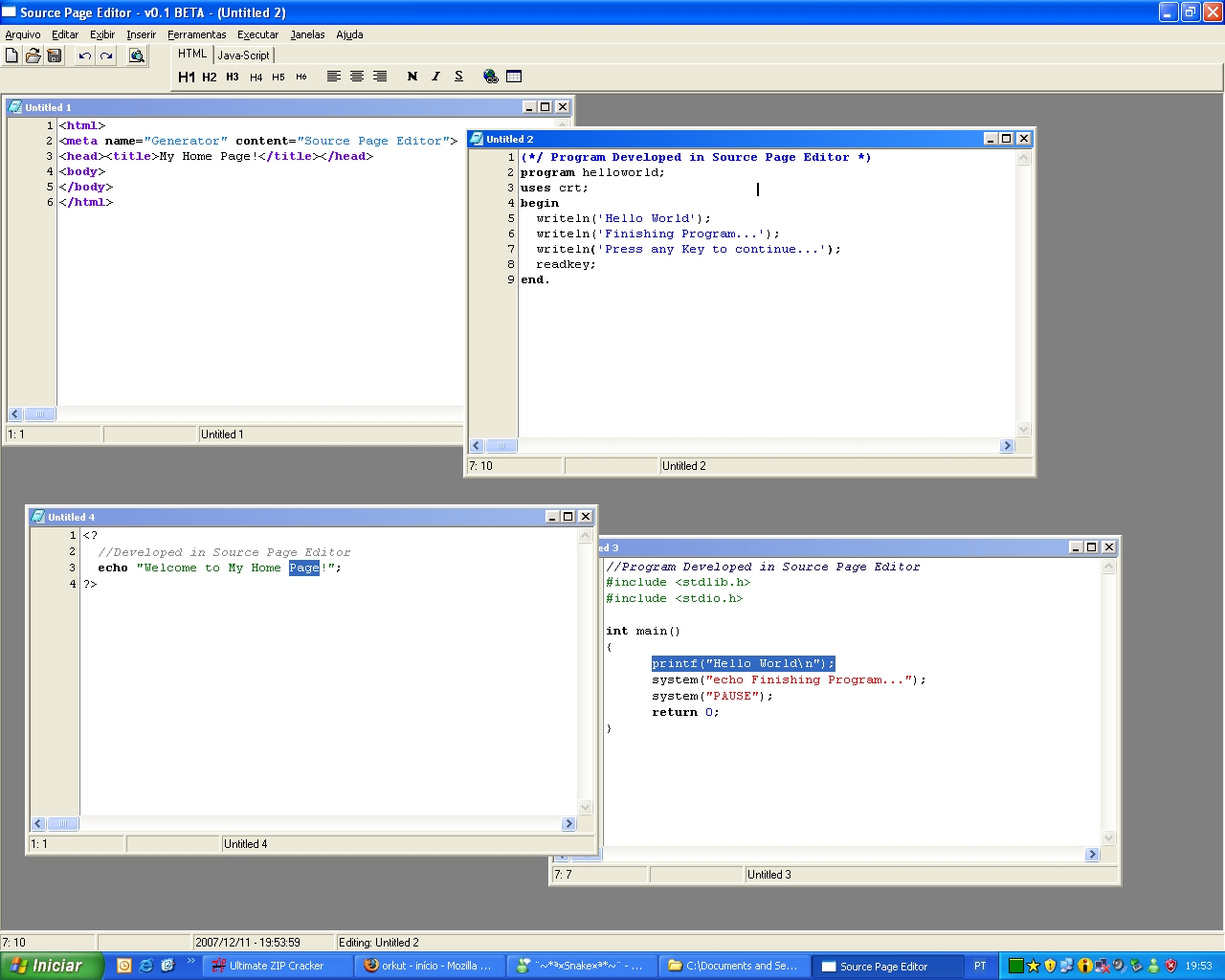
Screen Shot
editI'm writing a program to edit html/cpp/pascal/txt files (Source Page Editor)
A screenshot of it is
Author
editLMDI was created by Júnior Gonçalves
MultiDoc was created by Patrick Chevalley
License
editModified LGPL (same MultiDoc and MDButtonsBar), see docs\readme.txt
Download
editThe component and a demonstration program can be found in my Website (Internet Archive).
MyDBF Studio Sourcecode contains LMDI |MyDBF Studio Download Page
Another download link for LMDI (+ MultiDoc) (working in June 2017): https://github.com/mehmetulukaya/laz-components
Change Log
edit- Version 0.1 2007/12/31 First Beta Release.
Dependencies / System Requirements
editThis component is exclusively derived from high level standard component (TPanel, TImage, etc).
It must work on all the Lazarus platform without change.
It was tested on Windows (2k and XP), but not tested in any Linux distro.
WidgetSets
edit- Win32: OK. It's work nice;
- GTK2 (Win32): OK. It's work nice! (With some tests, I did found a small problem in title bar height of first child);
- QT (Win32): OK. It's work nice!
Installation
edit- Compile and install LMDI.lpk file.
- Open the example demo/mdbb-runtime/mdbb.lpi
This example show some properties of TitleBar/ButtonsBar component.
Usage
editToDo
Examples
editSoon (see demos directory too)