

Overview
editLHelp is the default help viewer for Lazarus. It displays CHM help files.
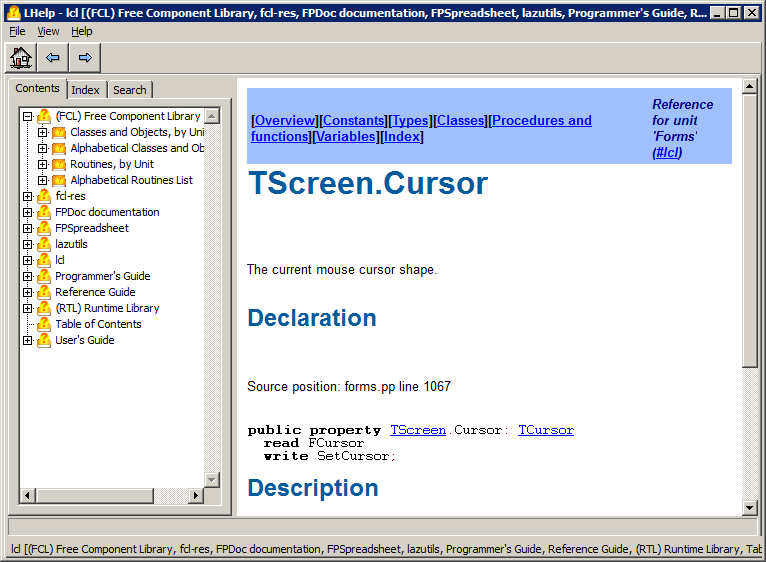
The screenshot below shows Lazarus LCL context-sensitive help displayed in LHelp:
Operation
editLHelp can be run stand-alone and used to open/view CHM files like a regular CHM viewer.
It can also be invoked and controlled by the Lazarus IDE to display context-sensitive help etc. For that, it uses the Help protocol.
Internals
editLHelp uses the chm package provided by FPC to read CHM files, table of contents (TOC), and full text search index.
Limitations
edit- LHelp cannot search on words containing the search term. This is similar to the behaviour of the Windows help viewer. Implementing this would require traversing the entire full-text search tree, parsing results and then displaying which would probably take a lot of time.
- Known bugs: See bug reports on the bug tracker with tag LHelp, LHelp in the description etc.
See also
editInstalling Help in the IDE - How to install help for the RTL, FCL and LCL in the Lazarus IDE