

About
edit
uE Controls is a open source set of instrumentation controls for Lazarus and Free Pascal, compilable under Windows and Linux. It uses the excellent graphic library BGRABitmap.
To reset to the default image of each component only clear its image property.
TuERotImage
edit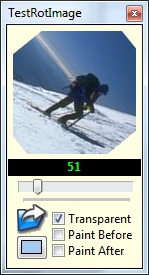
TuERotImage is an image viewer control similar to TImage with the ability to show the image rotated at an arbitrary angle.
TuELed
edit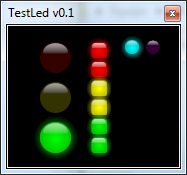
TuELed is LED (Light Emitting Diode) simulation visual control. It contains 2 different shapes (Square and round) LED simulations with ON/OFF, colour selection and automatic off color.
TuETileImage
editTuETileImage allows to put an image as a texture for make beautifuls backgrounds. The image is copied into the canvas automatically to fill the size of the control.
TuETilePanel
editAs the TuETileImage but with TPanel properties.
TuEKnob
edit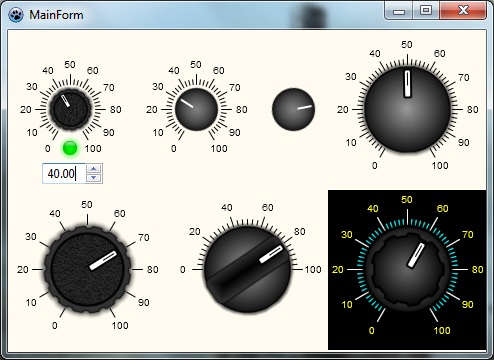
This component emulate the rotatory knob seen in some analog devices, designed for professional instrumentation, multimedia or skinned software developers. It has a default look but can load an user image, also have a customizable scale.
TuESelector
edit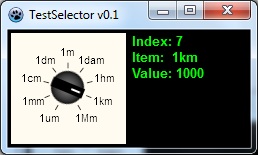
This component emulate the rotatory selector, designed for professional instrumentation, multimedia or skinned software developers. It has a default look but can load an user image, also have a customizable scale.
TuEMultiturn
editAllows to have a multiturn (no angle limit) knob.
TuEGauge
edit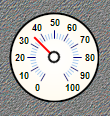
Gauge control with loadable image properties for background and Needle, also the range of the angle can be customized.
TuEButton
edit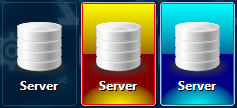
- support for load images from object inspector
- can draw default images by it self
- support for Glyphs
- support for button layouts
- shadow for text (use clNone for disable shadow)
- redraw when properties (caption, font, etc.) are changed
More info & Download:
editAfter installing the uecontrols.lpk file, the controls will be available in a separate tab in the Lazarus IDE.
Installation
editFor use these controls you must first download the graphics library BGRABitmap: http://wiki.lazarus.freepascal.org/BGRABitmap https://github.com/bgrabitmap/bgrabitmap/releases