

JVCL is a library of more than 600 Delphi visual and non-visual components (https://github.com/project-jedi/jvcl). Although heavily Windows-centered, some of them have been ported to Lazarus.
Packages
Due to the large number of components the original Delphi version is split into a variety of packages. The Lazarus port follows this convention because the user can install only the functionality needed.
For each package, a runtime and designtime version is available. Runtime packages can be identified with an appended R, designtime packages with an appended D. In the requirements for a project always use the runtime package.
JvCoreLazR and JvCoreLazD
Provides basic functionality needed by all other packages.
JvCtrlsLazR and JvCtrlsLazD
- TJvMovableBevel: a bevel which can be dragged at runtime
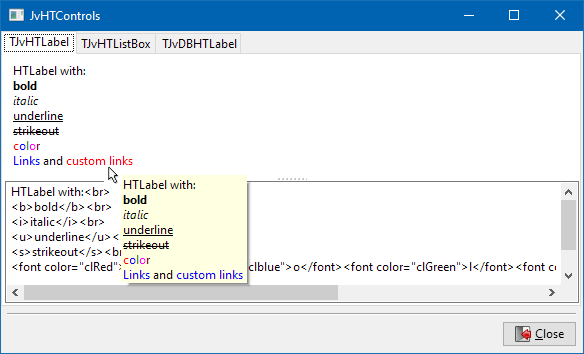
- TJvHtControls and related: a set of controls which can display HTML text
JvDBLazR and TJvDBLazD
- TJvSearchEdit - a TEdit with incremental search capabilities within a field of a dataset.
JvPageCompsR and TJvPageCompsD
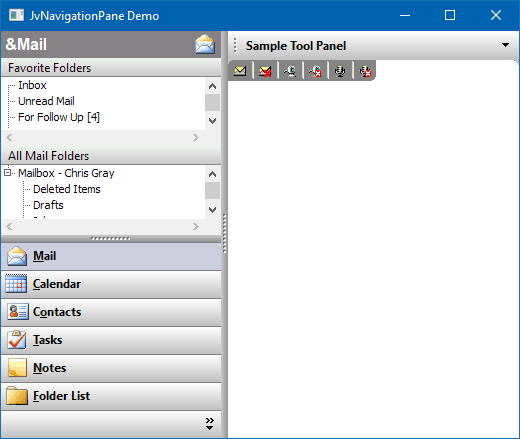
- TJvNavigationPane: a navigation panel similar to MS Outlook. See demo in the folder examples/JvNavigationPane of the Lazarus JVCL installation.
JvValidatorsLazR and JvValidatorsLazD
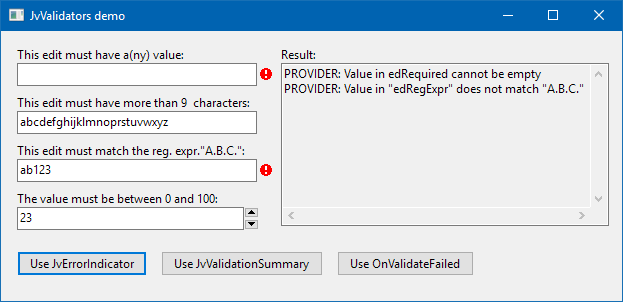
- various validator classes for input validataion. See demo in the folder examples/JvValidators of the Lazarus JVCL installation
JvXPCtrlsLazR and JvXPCtrlsLazD
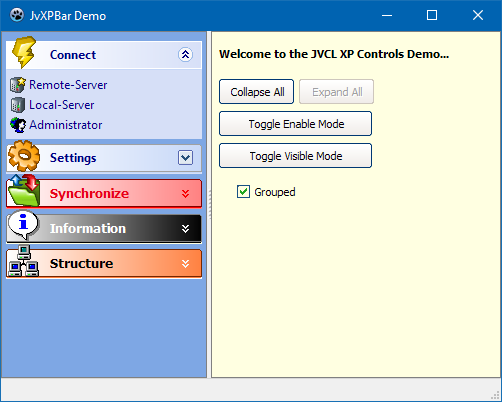
- Several controls imitating the look and feel of Windows XP.
- JvXPBar: a cotainer side-bar with collapsable panels
JvRuntimeDesignLazR and JvRuntimeDesignLazD
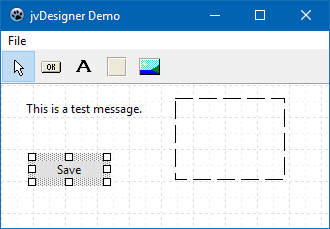
- A runtime form designer. See demo in folder example/JvDesigner of the JVCL installation.
JvCustomLazR and JvCustomLazD
- TJvTimeLine: a one-dimensional calendar ("time-line") which can display various events and tasks.
- TJvTMTimeLine: another timeline component
- TJvOutlookBar: an accordeon-like bar of containers for other controls as used by Outlook 97.
JvCmpR and JvCmpD
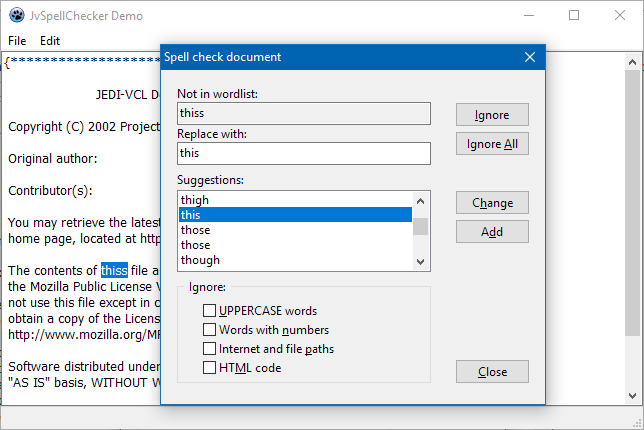
- TJvSpellChecker: a spell-checker class with sample dictionaries for English and Dutch. See demo in folder examples/JvSpellChecker of the JVCL installation.
JvJansR and JvJansD
Named after the original author, Jan Verhoeven, who donated these components to the JEDI project. The following components have been ported:
- TJvSIM components: a set of components for simulation of digital and analog electronics.
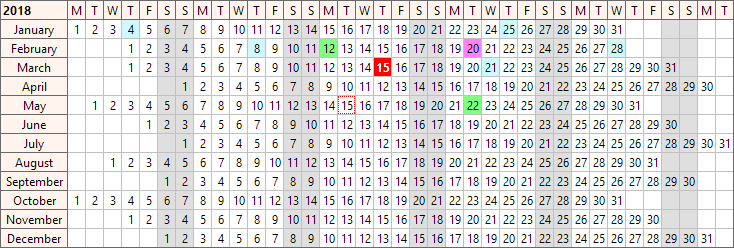
- JvYearGrid: a year-calendar
Download
The developers version of the Lazarus port is available via svn from https://sourceforge.net/p/lazarus-ccr/svn/HEAD/tree/components/jvcllaz/. The current release version can be downloaded from https://sourceforge.net/projects/lazarus-ccr/files/jvcllaz/; it is also offered by the Lazarus Online Package Manager.
Installation
If you want to use all ported JVCL components compile all runtime packages (having an appended "R") and all designtime packages (having an appended "D") Then install all designtime packages (except for JvCoreLazD, which need not be installed).
If you want to use only a few components find out in which package they are implemented. Always compile the JvCoreLazR and JvCoreLazD packages. Then compile the runtime and designtime package(s) which is/are of interest for you. Finally install the designtime package(s).
The procedure is greatly simplified if you install a release version via the Online Package Manager. Here you only have to check the requested package. OPM will automatically find out which other packages are needed.