

The ultimate goal is to use Lazarus to create a webpage in a RAD manner as much as possible. There can be several approaches to this.
- Create an actual LCL widgetset
- Do not use the actual LCL widgetset, but create a widgetset that uses the IDE support for a custom designer.
Either way, a set of basic widgets that can be used in HTML are needed.
Currently, several efforts are underway to create such a widget set.
Open source
in random order, they are:
- ProjJ: https://github.com/pas2js/master/tree/master/projJ/lib Warley Alex
- XComponents: https://www.dropbox.com/sh/401ua59t0qmossd/AACVS4j2NJoLnPivKhfL7S3fa?dl=0 (Stephen Wright)
- Pas2JS Widgetset: A project based on LLCL https://github.com/FChrisF/LLCL (Heliosroots)
- Based on DHTMLX: https://github.com/cutec-chris/dhtmlx-for-pas2js (Christian Ulrich)
Commercial
- TMS software has created | TMS Web Core
Pas2JS Widgetset
Pas2JS Widgetset is a RAD Framework to develop Web Applications like to develop Windows Applications.
Installation Procedure: 1. Download from: https://github.com/heliosroots/Pas2JS_Widget
2. Extract to C:Lazarus:pas2js_designer
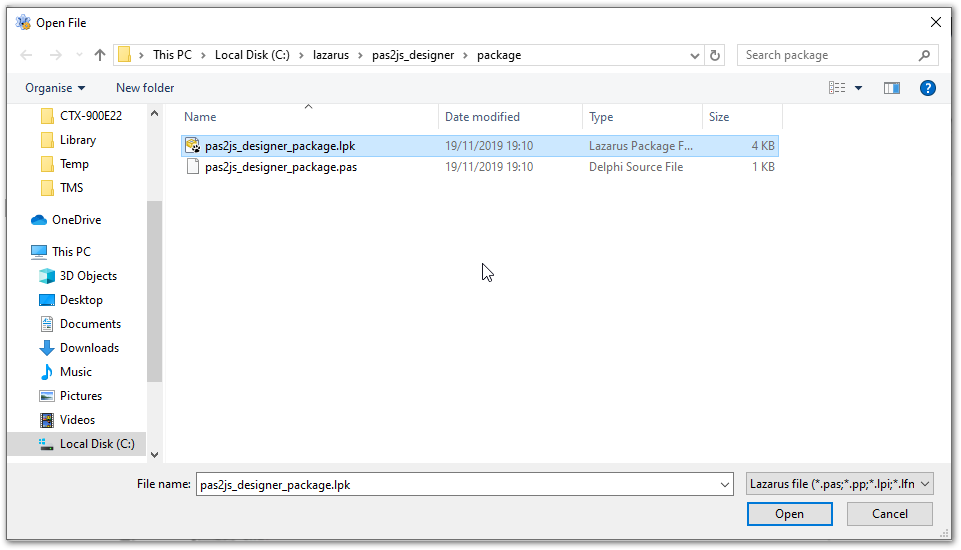
3. Open - C:Lazarus:pas2js_designer - package: pas2js_designer_package.lpk
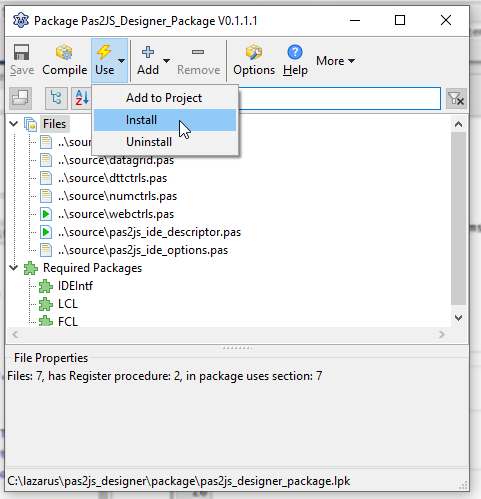
4. Click on Use - Install
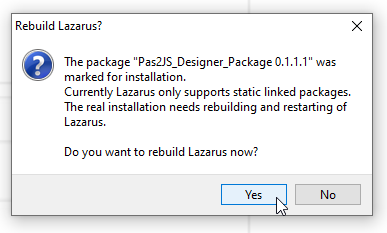
5. Click on Yes to install this package
6. You will see LCL for pas2js

Navigation
- Back to pas2js
- Back to Pas2JS Version Changes
- Back to lazarus_pas2js_integration