

Go back to Android Interface
Knowing general Android programming can be very useful to help developing the Lazarus Android Interface.
Creating a new Java Android Application
See here: http://developer.android.com/guide/developing/other-ide.html
Android API Hello World in Pascal
Here is an example Pascal application written for Android.
<delphi> program pascalnotes4android;
{$mode objfpc}{$H+}
uses
Classes, androidpipescomm, androidui, javalang;{$R *.res}
var
 layout: TAbsoluteLayout;
 params: TAbsoluteLayout_LayoutParams;
 tv: TTextView;
 et: TTextView;
 btn: TButton;
begin
 // Here add any initialization.
 // Any initialization code will be run inside Activity.onCreate,
 // so keep it as short as possible!
 // It should mostly contain GUI initialization
 // User interface
// Prepares the UI of the program
layout := TAbsoluteLayout.Create; tv := TTextView.Create;
tv.setText('The first Pascal Android application =)');
params := TAbsoluteLayout_LayoutParams.Create(320, 300, 0, 120);
layout.addView(tv, params);
params.Free; et := TEditText.Create;
et.setText('edit me please');
params := TAbsoluteLayout_LayoutParams.Create(320, 50, 0, 0);
layout.addView(et, params);
params.Free; btn := TButton.Create;
btn.setText('Go!');{ btn.setOnClickListener(buttonClickCallback);}
 params := TAbsoluteLayout_LayoutParams.Create(320, 50, 0, 60);
 layout.addView(btn, params);
 params.Free;
Activity.setContentView(layout); // Now tell Java that the initialization has finished
myAndroidPipesComm := TAndroidPipesComm.Create;
myAndroidPipesComm.InitializationFinished();
// Here you can add any other initialization,
// specially non-GUI code // Now we block our execution waiting for callbacks from Java
myAndroidPipesComm.MessageLoop();end. </delphi>
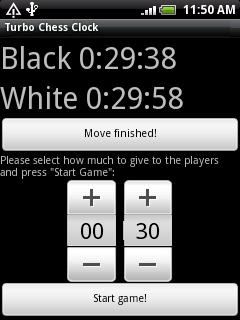
Compiling the example project in Linux
1> Get a working arm-linux cross-compiler which generates ARMv5 eabi with softfloat (as many phones like HTC Wildfire have no FPU)
To do this one can download an unofficial build from here:
http://members.yline.com/~tom_at_work/fpc-2.4.2.UNOFFICIAL.arm-linux.tar . Compiled for ARMv5 eabi with softfloat.
Or build your own. There are instructions here: Setup_Cross_Compile_For_ARM
2> Install the Android SDK. Instructions here: Android_Interface/Using_the_Android_SDK%2C_Emulator_and_Phones#Using_the_Android_SDK
3> Install ant, for example in Mandriva Linux:
urpmi ant4> Open the project PascalNotes4Android/pascalsrc/pascalnotes4android.lpi in Lazarus and build it's build mode Android
5> Copy the generate executable
cp pascalsrc/pascalnotes4android libs/armeabi/libpascalnotes4android.so if the directory libs/armeabi doesn't exist, create it
6> Build the APK file in debug mode
ant debug7> Connect your phone and make sure you can connect to it via ADB. More info here: Android_Interface/Using_the_Android_SDK%2C_Emulator_and_Phones#Recognition_of_devices_under_Linux
8> Install the APK file in your phone via ADB or whatever other method you prefer:
../android-sdk-linux_x86/tools/adb install bin/PascalNotes4Android-debug.apkIf the package is already installed you need need to do this instead:
 ../android-sdk-linux_x86/tools/adb uninstall com.pascalnotes
 ../android-sdk-linux_x86/tools/adb install bin/PascalNotes4Android-debug.apk