

From Lazarus 2.0 onwards the IDE has an LLDB based debugger for MacOS. Many of the captions in the IDE still refer explicitly to GDB, but the options apply to LLDB too.
Configure the IDE
In order to be able to debug your projects, you need to make sure the IDE is correctly configured.
These settings do not usually change. You need to make them only once after you installed Lazarus, or if you changed/updated your installation
- Open the Lazarus option dialog
-

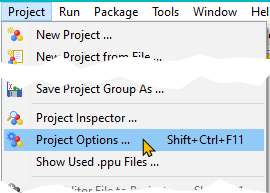
The image shows where to find the option dialog in Lazarus 0.9.31 and up. In previous versions the entry is in the "Environment" menu.
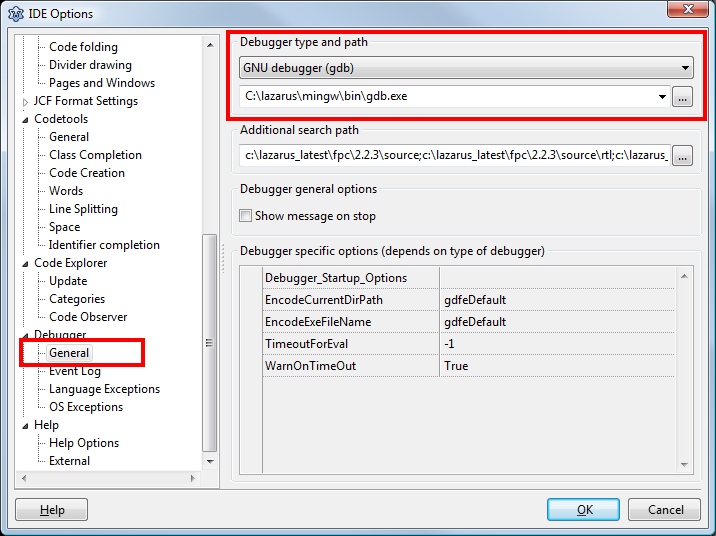
- Make sure that the option "GNU debugger (GDB)" is selected.
- The path to gdb.exe may differ:
- On Linux/Unix based systems it may be something like "/usr/bin/gdb"
- On Windows it should be in a folder called "mingw\bin\" under the directory in which Lazarus is installed.
Lazarus 2.0 and up: On Windows 64 find the option "FixIncorrectStepOver" in the property grid and set it to enabled (true).
- On MacOS, with Lazarus 2.0 or higher
- Select "LLDB (with fpdebug)"
- Set the path to: /usr/bin/lldb
Project Options
In order to debug your project, you need to tell the IDE to compile it in a special way, which provides additional information required by the debugger.
Please note: This will considerably increase the size of your executable (See FAQ). If you want to build a release version of your software you should switch those settings off (see also Build Modes)
The required settings are made in the "Project Options" dialog:
 |
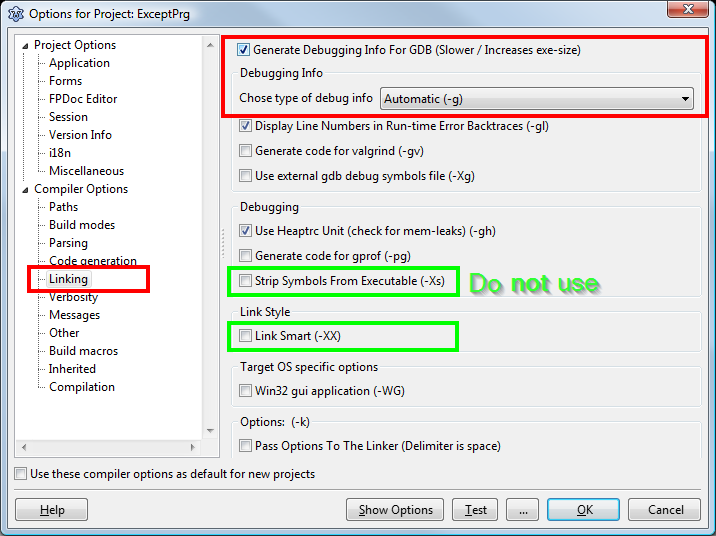 |
- You must enable the "Generate Debug Info for GDB"
- On Windows/Linux 32 bit it is highly recommended to use "Dwarf"
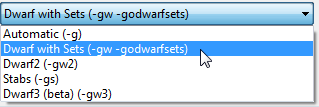
- On Windows/Linux 32 bit it is highly recommended to use "Dwarf"
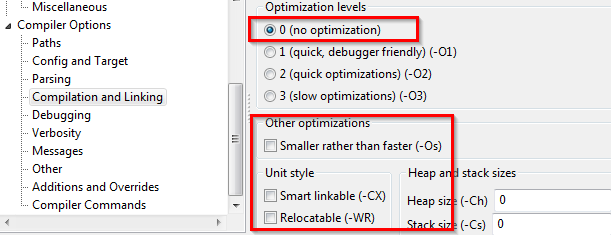
- You must not use any of the following
- "Strip Symbols"
- "Link Smart"
- Any optimization other than "Level 0" ("Level 1" may be used, but in some cases may cause issues)
- If using the LLDB based debugger, you are not allowed to use "Stabs". You can choose any of the Dwarf settings
GDB Version
GDB 7.5 requires Lazarus 1.4 or higher.
GDB 7.7.1 seems to work well with Lazarus 1.2.4.
On MacOS: LLDB is part of the developer tools by Apple
See also
- IDE Window: Debugger Options
- IDE Window: Run parameters This menu also covers some debugging-related options.
- GDB Debugger Tips