

Navigation
editThe Restriction Browser can be reached from the Lazarus IDE Main Menu > View > Restriction Browser menu item.
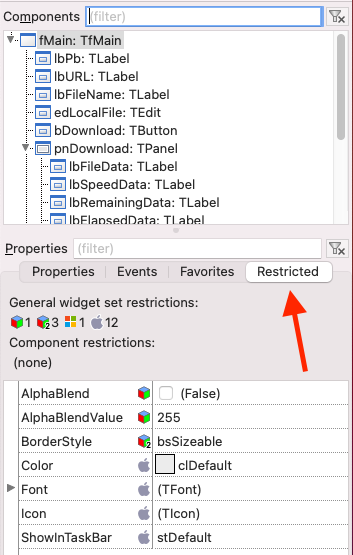
Alternatively, the Restriction Browser is also located in the fourth tab of the Object Inspector.
Overview
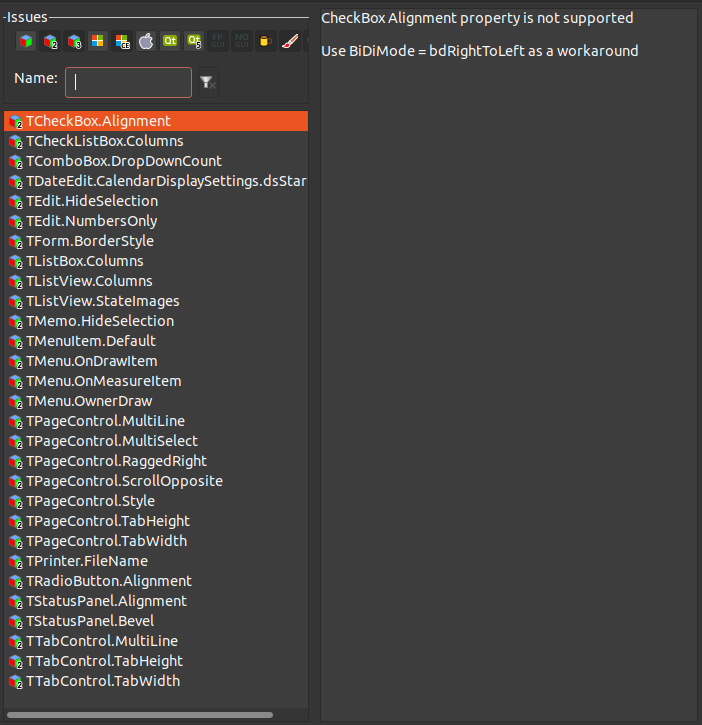
editThe Restriction Browser lists the Lazarus LCL widgetset and component limitations for various compiler targets - operating systems and graphics.
Adding a restriction
editFor the lcl: see the lcl/interfaces/<widgetset>/issues.xml
For other packages: Add an xml file, e.g. issues.xml like this:
<?xml version="1.0" encoding="UTF-8"?>
<package name="lcl">
  <widgetset name="gtk2">
    <issue name="TCheckBox.Alignment">
      <short>CheckBox Alignment property is not supported</short>
      <descr>Use BiDiMode = bdRightToLeft as a workaround</descr>
    </issue>
  </widgetset>
</package>
Then open the package editor of your package, add the file to the package, and change its file type to "issues xml file", by right clicking the file to open the popup menu, then File type.