

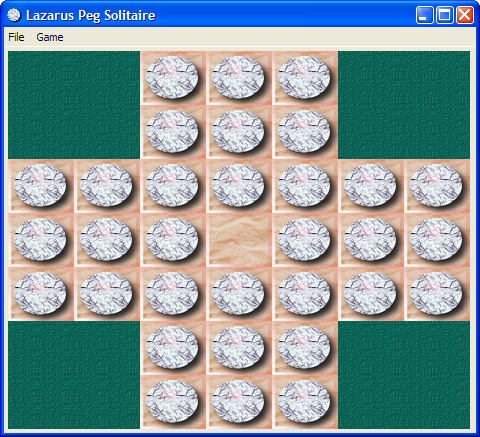
This tutorial is the second Lazarus tutorial that aims at introducing the basics of Lazarus application development. It's best to start this tutorial after having finished the first one (Howdy_World_(Hello_World_on_steroids)). This tutorial exlpains a bit about how to work with graphics and how to make a program modular. The final product of this tutorial is a basic but working version of the Peg Solitaire game (http://en.wikipedia.org/wiki/Peg_solitaire). If all goes well in the end it will look something like this:
Start the project
As mentioned in the previous tutorial it's best to start with a clean, separate directory for each project. A quick recap:
- Create a new directory for this game.
- Start a new Application (Project/New Project... and select Application).
- In the project options insert bin\ in front of the target filename.
- Save the project as PegSolitaire.
- Save the main form as ufrmMain.
- In the object inspector change the form's name to frmMain.
- Change the caption to Lazarus Peg Solitaire.
And extra for this project:
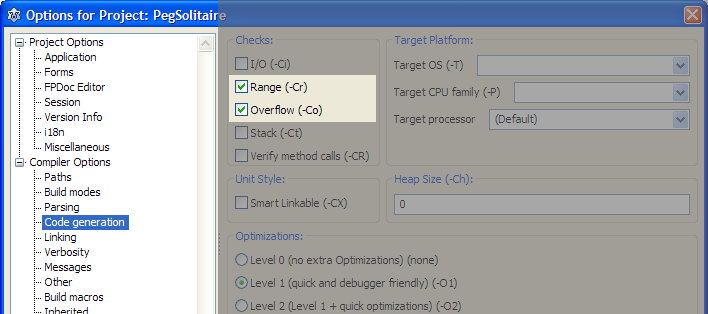
- Open the project options dialog (Shift-Ctrl-F11).
- Select Compiler Options/Code Generation.
- Enable Range checking and Overflow error checking (see image belows).
First steps
It's always a good idea to seperate gui related code from data structure definitions. So the first step will be the creation of a separate unit for our Solitaire data structures.
- From the menu choose File/New Unit....
- Save the unit as PegDatastructures (and press the lowercase button that pops up).
The basic elements of a Peg Solitaire board are the marbles, the board structure and the empy places. We'll simulate this by a simple matrix that has cells of a certain type (empty, occupied and not accessible). And we'll encapsulate all this in a class that handles all the data manipulation.
- Add the following code to the PegDatastructures unit.
<Delphi>const
C_MAX = 7; // Max board size: 7x7type
 TCellNums = 1..C_MAX;
 TCellType = (ctNoAccess, ctEmpty, ctPeg);
 TPegCells = array[TCellNums, TCellNums] of TCellType;
TPegSolitaire = class
private
Size: TCellNums;
PegCells: TPegCells; public
constructor Create(const pSize: TCellNums);
end;</Delphi>... 2 be continued...